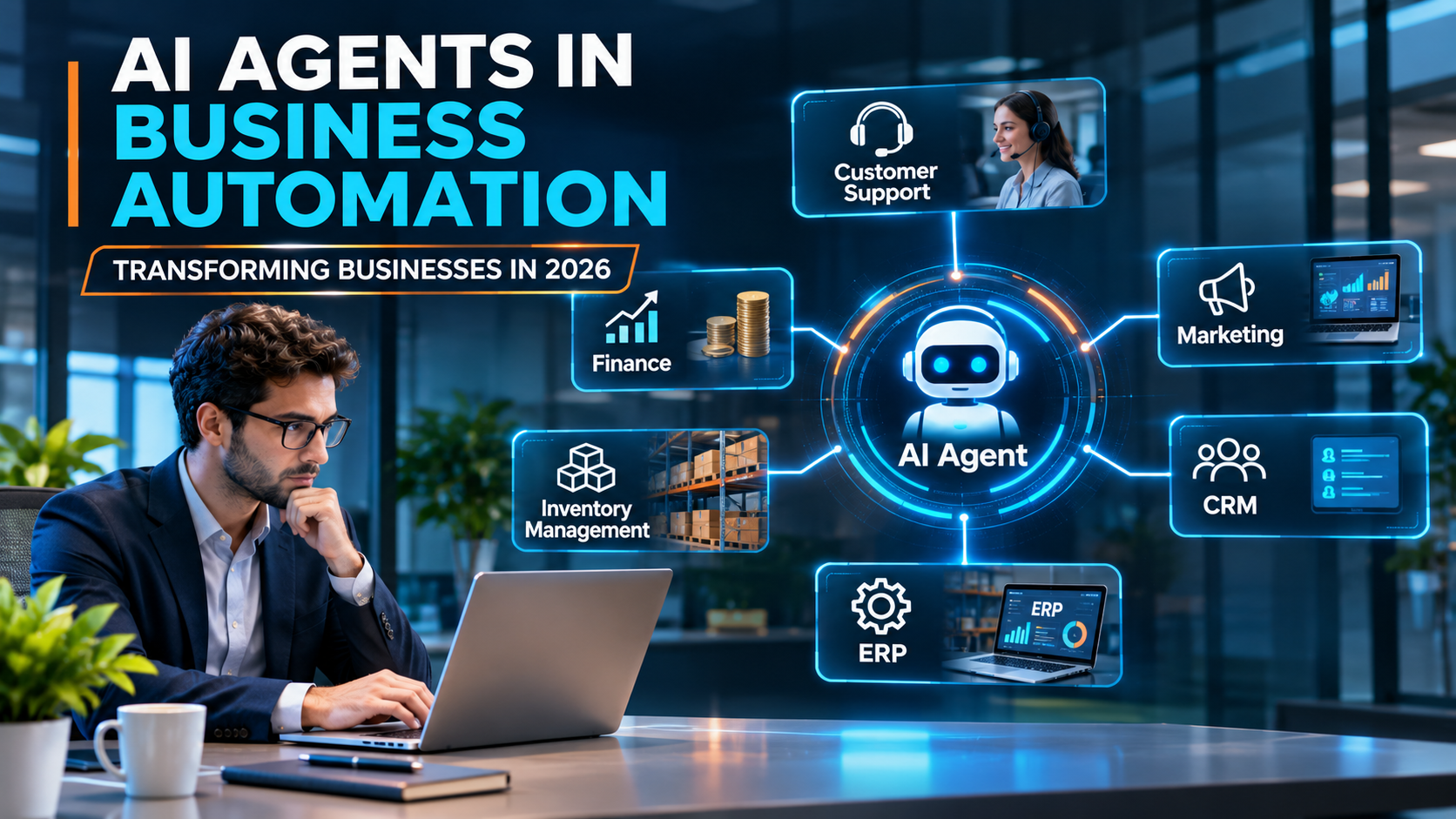
Artificial Intelligence (AI) is changing how businesses work. Companies are using AI to improve productivity, reduce repetitive tasks, support customers, and make better decisions. In 2026, one of the important developments in this area is the growing use of AI agents.
AI agents are software systems that can understand a goal, collect relevant information, decide what actions to take, and perform tasks using connected tools. Depending on their design and permissions, they can complete individual tasks or coordinate multiple steps in a business workflow.
Traditional automation usually follows predefined rules. AI agents can go further by interpreting information, responding to changing situations, and choosing from a set of permitted actions.
For example, a traditional system might send the same reminder to every customer with an overdue invoice. An AI agent could review invoice details, check previous communication, prepare a personalized reminder, and send it for approval before delivery.
Businesses are exploring AI agents to automate more than individual tasks. They are beginning to use them across connected workflows, where different applications and teams need to work together.
2. What Are AI Agents?
AI agents are applications that use artificial intelligence to pursue specific goals. They may use language models, business data, external tools, and predefined rules to decide how to complete a task.
An AI agent commonly includes four main elements:
- Goal: The task or result the agent is expected to achieve.
- Reasoning: The ability to interpret information and select an appropriate next step.
- Tools: Connected applications, databases, APIs, or other systems the agent can use.
- Memory and context: Relevant information that helps the agent understand the current task and previous interactions, depending on its design.
Consider a business that receives hundreds of customer emails each day. An AI agent could categorize incoming messages, identify urgent requests, retrieve relevant order information, draft responses, and route complex cases to the correct employee.
The agent does not necessarily need to handle every decision independently. Businesses can configure it to ask for human approval when a task involves sensitive data, financial transactions, or important customer decisions.
AI Agents vs. Traditional Automation
Traditional automation is effective when a process has clear rules and predictable steps. AI agents are useful when tasks involve unstructured information, multiple possible actions, or changing circumstances.
For example, a rule-based automation system can move an invoice into a specific folder when it receives a matching file name. An AI-powered workflow could extract information from the invoice, compare it with a purchase order, identify missing details, and flag a possible discrepancy.
Both approaches have value. In many business environments, combining traditional automation with AI agents is more practical than replacing every existing process with AI.
3. How AI Agents Work in Business Automation
AI agents typically follow a sequence of steps to complete a task.
Step 1: Understand the Goal
The agent receives an instruction, such as processing a customer request, checking an invoice, or preparing a sales report.
Step 2: Collect Information
It gathers relevant information from approved sources, such as a CRM, ERP system, company documents, database, or email platform.
Step 3: Analyze the Information
The agent interprets the available information and determines what needs to happen next. Depending on the task, it may identify missing details, compare records, or classify a request.
Step 4: Select and Perform Actions
Using authorized tools, the agent performs permitted actions. These might include updating a record, preparing a document, creating a support ticket, or requesting additional information.
Step 5: Check the Result
The agent or the surrounding workflow checks whether the action succeeded. If something goes wrong, it may retry within defined limits, report the problem, or escalate it to an employee.
Step 6: Request Human Approval When Needed
For high-impact actions, the workflow can require approval before the agent continues. This is especially important for payments, financial commitments, access permissions, and sensitive customer information.
Example: Imagine a company receives a purchase order by email. An AI agent could extract the product details, check stock availability in the ERP, identify missing information, and prepare a draft order. An employee could then review the details before the order is confirmed.
This approach can reduce manual work while keeping important business decisions under human control.
4. How Businesses Are Using AI Agents in 2026
AI agents can support many departments. The best applications are usually those that involve repetitive work, multiple information sources, and clear ways to measure success.
4.1 Customer Support Automation
Customer support teams receive questions about orders, payments, product details, account access, and service issues.
AI agents can classify incoming requests, search approved knowledge bases, retrieve customer information, and respond to common questions. They can also update support tickets and send complicated cases to human representatives.
For example, an agent could check an order’s delivery status, explain a shipping delay using verified information, and create an escalation if the order is overdue.
This can reduce repetitive work and help support teams focus on complex problems. However, agents should not invent policies, expose private information, or make promises that the company cannot fulfill.
4.2 Sales and Lead Management
Sales teams often spend considerable time researching leads, updating CRM records, preparing follow-up messages, and summarizing customer interactions.
AI agents can help collect information from approved sources, classify potential customers, summarize previous conversations, and draft personalized follow-ups.
For example, after a sales meeting, an agent could summarize the discussion, identify action items, draft a follow-up email, and create reminders in the CRM.
Sales representatives can review important communications before sending them. This allows teams to save time without losing control of customer relationships.
4.3 Marketing Automation
Marketing teams manage content planning, campaign reporting, audience research, and customer engagement.
AI agents can assist by analyzing campaign performance, organizing customer feedback, suggesting content ideas, preparing draft posts, and summarizing results from marketing tools.
For example, an agent could review a campaign report and identify that email engagement has declined. It might suggest testing a different subject line or audience segment.
These suggestions should be checked against reliable data. Human review remains valuable for brand voice, factual accuracy, originality, and marketing strategy.
4.4 Finance and Invoice Processing
Finance departments handle invoices, expense reports, purchase orders, payment records, and financial summaries.
AI agents can extract invoice details, compare records, identify missing information, categorize expenses, and flag unusual transactions for review.
For example, an agent could compare an invoice with its purchase order and goods receipt. If the quantities or prices do not match, it could prepare an exception report for the finance team.
This can make invoice processing more efficient. However, financial approvals, payment execution, and sensitive accounting decisions should follow strict permissions and audit requirements.
4.5 Human Resources Automation
HR teams manage applications, employee questions, onboarding, training information, and internal documentation.
AI agents can help organize resumes, answer routine questions about company policies, prepare onboarding checklists, and guide employees toward the correct forms.
For example, when a new employee joins, an agent could prepare a checklist for account setup, collect required documents, and notify the relevant departments about outstanding tasks.
Hiring and employee evaluation require special care. AI should not make consequential employment decisions without appropriate human oversight, validation, and safeguards against unfair outcomes.
4.6 Supply Chain and Inventory Management
Businesses need accurate inventory information to plan purchasing, avoid shortages, and coordinate deliveries.
AI agents can monitor stock levels, summarize supplier updates, identify unusual demand patterns, and prepare purchase recommendations.
For example, an agent could notice that a frequently used raw material is approaching its reorder threshold. It could check supplier lead times, review recent consumption, and prepare a purchase requisition for approval.
The quality of these recommendations depends on accurate inventory records, reliable supplier data, and suitable business rules.
4.7 IT Operations and Software Development
IT teams handle incident reports, system monitoring, troubleshooting, documentation, and software maintenance.
AI agents can summarize logs, classify support tickets, suggest possible causes of errors, prepare code changes, and help generate software tests.
For example, an agent could analyze an application error, locate relevant log entries, suggest a potential fix, and prepare a code change for developer review.
AI agents can improve developer productivity, but generated code and operational actions still need testing, security checks, and appropriate approval before production deployment.
5. Benefits of AI Agents for Business Automation
AI agents can offer several advantages when they are introduced into suitable workflows.
5.1 Reduced Repetitive Work
Agents can handle routine information gathering, document preparation, record updates, and task routing. Employees can spend more time on work that requires judgment, creativity, and human interaction.
5.2 Faster Business Processes
An agent can gather information from connected systems and complete several permitted steps without requiring a person to manually move information between every application.
Actual speed improvements depend on workflow complexity, system integrations, and how often human review is required.
5.3 Improved Productivity
AI agents can help employees find information, prepare reports, summarize conversations, and manage routine tasks. This can make teams more productive without necessarily increasing their workload.
5.4 Better Access to Business Information
When connected to approved and well-maintained data sources, agents can help employees retrieve relevant information from documents, databases, and business applications.
For example, a sales employee could ask an internal agent to summarize an account’s recent orders and open support issues rather than searching several systems manually.
5.5 More Consistent Workflows
Agents can follow standardized instructions, required checklists, and validation rules. This can help reduce process variations, although AI-generated outputs still need monitoring because mistakes are possible.
5.6 Support for Business Growth
As transaction volumes increase, well-designed automation can help organizations handle more routine work without increasing manual effort at the same rate.
However, scaling AI agents also introduces costs related to infrastructure, integrations, monitoring, and governance. Businesses should measure the total cost rather than assuming that automation will always reduce expenses.
6. Challenges of Using AI Agents
Despite their potential, AI agents are not suitable for every task. Businesses need to understand their limitations before deploying them widely.
6.1 Incorrect or Misleading Outputs
AI agents can misunderstand instructions, use incomplete information, or produce incorrect results. These errors can affect customers, records, and business decisions.
Organizations should use reliable data sources, validate important outputs, and establish clear escalation procedures.
6.2 Data Privacy and Security
Agents may access customer records, internal documents, financial information, or other sensitive data.
Businesses should apply least-privilege access, secure integrations, data protection controls, and regular permission reviews. Agents should only access information required for their assigned tasks.
6.3 Integration with Existing Systems
Many businesses use separate applications for accounting, inventory, sales, HR, and customer support.
Connecting an AI agent to these systems can be difficult when APIs are limited, data formats differ, or records are inconsistent.
A successful implementation often requires improving data quality and integration architecture before adding more automation.
6.4 Cost and Return on Investment
AI agents may incur costs for model usage, software subscriptions, integrations, testing, and ongoing monitoring.
Businesses should compare these costs with measurable improvements, such as reduced processing time, fewer errors, lower support workload, or faster service.
6.5 Lack of Clear Accountability
If an agent performs an incorrect action, the organization needs to know which system, instruction, permission, or process caused the problem.
Maintaining activity logs, assigning owners, defining approval requirements, and monitoring outcomes can help make automated workflows more accountable.
6.6 Human Oversight and Governance
Giving agents too much independence can create unnecessary risks. Gartner’s 2026 research highlights the growing challenge of managing AI agent deployments and establishing appropriate governance. Its findings emphasize the importance of clear policies, agent inventories, and controls.
Organizations should decide which actions agents can perform independently, which require approval, and which should remain restricted to authorized people.
7. AI Agents vs. Traditional Automation vs. RPA
Businesses often use several automation approaches together. Understanding the differences helps organizations choose the right technology.
| Feature | Traditional Rule-Based Automation | Robotic Process Automation (RPA) | AI Agents |
|---|---|---|---|
| Main approach | Executes predefined rules | Automates repetitive digital actions | Uses AI to interpret goals and select permitted actions |
| Best suited for | Predictable workflows | Repetitive tasks across existing interfaces | Tasks requiring interpretation and flexible workflows |
| Handles unstructured information | Limited without additional tools | Limited without AI integration | Can interpret unstructured information, with possible errors |
| Decision-making | Based on explicit rules | Mostly follows configured steps | Can use AI reasoning and context within defined boundaries |
| Adaptability | Changes require rule updates | Changes often require workflow updates | May handle variation, but requires testing and guardrails |
| Human oversight | Depends on the workflow | Depends on the workflow | Especially important for uncertain or high-impact actions |
Which approach is best?
Traditional automation is often ideal for simple, predictable tasks. RPA can help automate legacy systems that lack suitable APIs. AI agents can be useful when a workflow involves interpreting documents, handling varied requests, or coordinating multiple tools.
Many organizations will benefit from combining these approaches rather than replacing their existing automation systems entirely.
8. Real-World Example: AI Agents in an ERP System
Consider a manufacturing company that manages raw materials, purchase orders, inventory, quality checks, and supplier invoices through an Enterprise Resource Planning (ERP) system.
The company wants to reduce the manual effort involved in receiving raw materials.
An AI-assisted workflow could operate as follows:
Step 1: Receive the Purchase Information
The system receives a purchase order or supplier document and extracts the relevant details.
Step 2: Check the Purchase Order
The agent retrieves the approved purchase order from the ERP and compares the expected material, quantity, and supplier information with the incoming document.
Step 3: Check Inventory Records
It checks the available inventory and identifies whether the material is a new item or an existing product.
Step 4: Prepare the Inward Entry
The agent prepares a draft inward record with the extracted information. Missing or inconsistent details are flagged for correction.
Step 5: Coordinate Quality Control
After the goods are received, the system routes the material through the company’s established quality-control workflow. The agent can summarize relevant documents and prepare the required records, but it should not independently declare physical material safe or compliant without valid test results and authorized quality approval.
Step 6: Update the System After Approval
Once authorized employees complete the necessary checks, the ERP records can be updated according to the company’s rules.
This example demonstrates how AI agents could reduce repetitive data entry while preserving established approval and quality-control procedures.
It is an illustrative workflow, not a claim that every ERP system currently supports these capabilities by default.
9. How to Implement AI Agents in Your Business
Businesses should begin with a specific problem rather than introducing AI agents simply because the technology is trending.
Step 1: Identify a Suitable Workflow
Look for repetitive tasks that consume considerable employee time, involve multiple systems, or create frequent delays.
Examples include invoice preparation, support-ticket classification, document processing, and report generation.
Step 2: Define a Measurable Goal
Decide what success looks like before implementing the agent.
Possible metrics include:
- Average time required to complete a task.
- Number of manual steps per transaction.
- Error and rework rates.
- Cost per processed transaction.
- Customer response time.
- Percentage of tasks completed without escalation.
Step 3: Review Your Data and Systems
Identify the databases, applications, documents, and APIs the agent needs to access.
Check whether the information is accurate, current, consistent, and available through secure integrations.
Step 4: Choose the Right AI Tools
Select tools based on the workflow, data requirements, integration options, security needs, cost, and technical expertise available to your team.
Some workflows may require a language model with tool-calling capabilities. Others may benefit from a workflow automation platform, a specialized business application, or a combination of AI and traditional automation.
Step 5: Establish Permissions and Safeguards
Define the agent’s allowed actions, data access, spending limits, approval requirements, and escalation rules.
Begin with read-only access or draft-only actions when possible. Expand permissions only after the system has demonstrated reliable performance.
Step 6: Run a Small Pilot
Test the agent using realistic examples, including incomplete documents, unusual requests, conflicting information, and system failures.
Compare its performance with the existing process before deploying it more broadly.
Step 7: Monitor and Improve
Track accuracy, completion rates, costs, errors, and user feedback. Review logs and update the workflow as business requirements change.
An AI agent should be treated as an ongoing software system that needs maintenance, testing, and governance—not as a one-time installation.
10. AI Agent Trends Shaping Business Automation in 2026
AI agent adoption is moving from experimentation toward more practical business applications, although deployment maturity varies across organizations.
McKinsey’s 2026 State of AI research reports that 40% of respondents at organizations with annual revenue above $1 billion said they were scaling AI agents in at least one function, up from 27% the previous year. Smaller organizations reported a relatively flat share of 22%. These figures refer to survey respondents, not every company worldwide.
Several trends are shaping business automation.
10.1 Multi-Agent Systems
Instead of assigning every task to one agent, some systems use multiple specialized agents that coordinate their work.
For example, one agent might extract invoice data, another might compare it with purchase records, and a third might prepare an exception report.
Multi-agent systems can support complex workflows, but coordination, monitoring, and error handling become more challenging as the number of agents increases.
10.2 AI Agents Connected to Business Software
Businesses are exploring agents that work with CRM, ERP, customer support, accounting, and collaboration tools.
These integrations can help agents complete workflows across applications rather than simply generating recommendations in a chat window.
10.3 Human-AI Collaboration
AI agents are increasingly being considered as assistants that work alongside employees.
Agents can gather information, prepare drafts, and complete routine tasks, while people handle exceptions, relationships, complex judgments, and consequential decisions.
10.4 Improved AI Governance
As agents gain access to business tools and data, organizations need stronger ways to control their actions.
Governance includes permission management, monitoring, testing, audit logs, clear ownership, and procedures for responding to failures.
10.5 Greater Focus on Business Value
Companies are becoming more focused on measuring the outcomes of AI investments.
Rather than evaluating an agent solely by how quickly it responds, organizations should assess whether it improves the entire workflow, reduces avoidable errors, and delivers measurable value after implementation and operating costs.
11. The Future of AI Agents in Business Automation
AI agents are likely to become a more common part of business software and digital workflows. Their long-term value will depend on more than improvements in AI models.
Businesses will need reliable data, well-designed processes, secure integrations, suitable employee training, and effective governance.
Some workflows may become highly automated, while others will continue to require human decisions. The level of autonomy should depend on the consequences of an error, the reliability of the system, and the organization’s ability to supervise its actions.
Companies that approach AI agents as part of a broader business transformation—rather than as a shortcut to replacing every manual process—will be better positioned to identify valuable applications and manage risks.
12. Frequently Asked Questions (FAQs)
What are AI agents in business automation?
AI agents are software systems that use artificial intelligence to understand goals, interpret information, and perform permitted tasks using connected tools. Businesses can use them to automate workflows such as customer support, document processing, sales administration, and inventory monitoring.
How are AI agents different from chatbots?
A traditional chatbot mainly responds to user messages. An AI agent may also retrieve data, use tools, update records, and coordinate multiple steps toward a goal. Some modern chatbots also have agent capabilities, so the distinction depends on their actual functionality.
How do AI agents help businesses save time?
They can reduce repetitive information gathering, document processing, task routing, and record updates. The amount of time saved depends on the workflow, data quality, integration complexity, and level of human review required.
Can small businesses use AI agents?
Yes. Small businesses can start with focused applications such as answering routine questions, classifying support requests, preparing email drafts, or organizing business documents. They should consider setup costs, privacy, reliability, and ongoing maintenance before adopting a solution.
Are AI agents safe for business use?
They can be used more safely when organizations apply restricted permissions, reliable data sources, monitoring, testing, and human approval for high-impact actions. No AI system is completely free from errors or security risks.
Will AI agents replace employees?
AI agents can automate some tasks, but this does not mean they will replace entire jobs. Their impact depends on the work involved, the quality of the technology, and how organizations redesign roles. Human judgment, accountability, creativity, and relationship management remain important in many business processes.
What is the difference between AI agents and RPA?
RPA automates repetitive digital actions through configured rules and steps. AI agents can interpret information and choose among permitted actions based on context. The technologies can also be combined to automate more complex workflows.
Which business processes are best for AI agents?
Good starting points include document classification, invoice review, customer-support routing, report preparation, sales follow-ups, and inventory alerts. These tasks are often suitable when they have measurable outcomes and clearly defined boundaries.
How much do AI agents cost?
Costs vary according to the AI model, number of tasks, data volume, integrations, software subscriptions, security requirements, and ongoing maintenance. Businesses should calculate total operating costs and compare them with measurable benefits.
What is the future of AI agents in 2026 and beyond?
AI agents are expected to become more integrated with business software and multi-step workflows. Their adoption will depend on reliability, security, governance, integration quality, and the ability to demonstrate measurable business value.
Conclusion
AI agents are creating new opportunities for business automation in 2026. They can help organizations process documents, support customers, coordinate workflows, analyze information, and reduce repetitive manual work.
However, successful implementation requires more than selecting an AI tool. Businesses must identify suitable workflows, prepare their data, connect systems securely, measure results, and establish clear rules for human oversight.
The best starting point is to choose one repetitive business process, test an AI agent on a small scale, and expand only when the results demonstrate real value.
