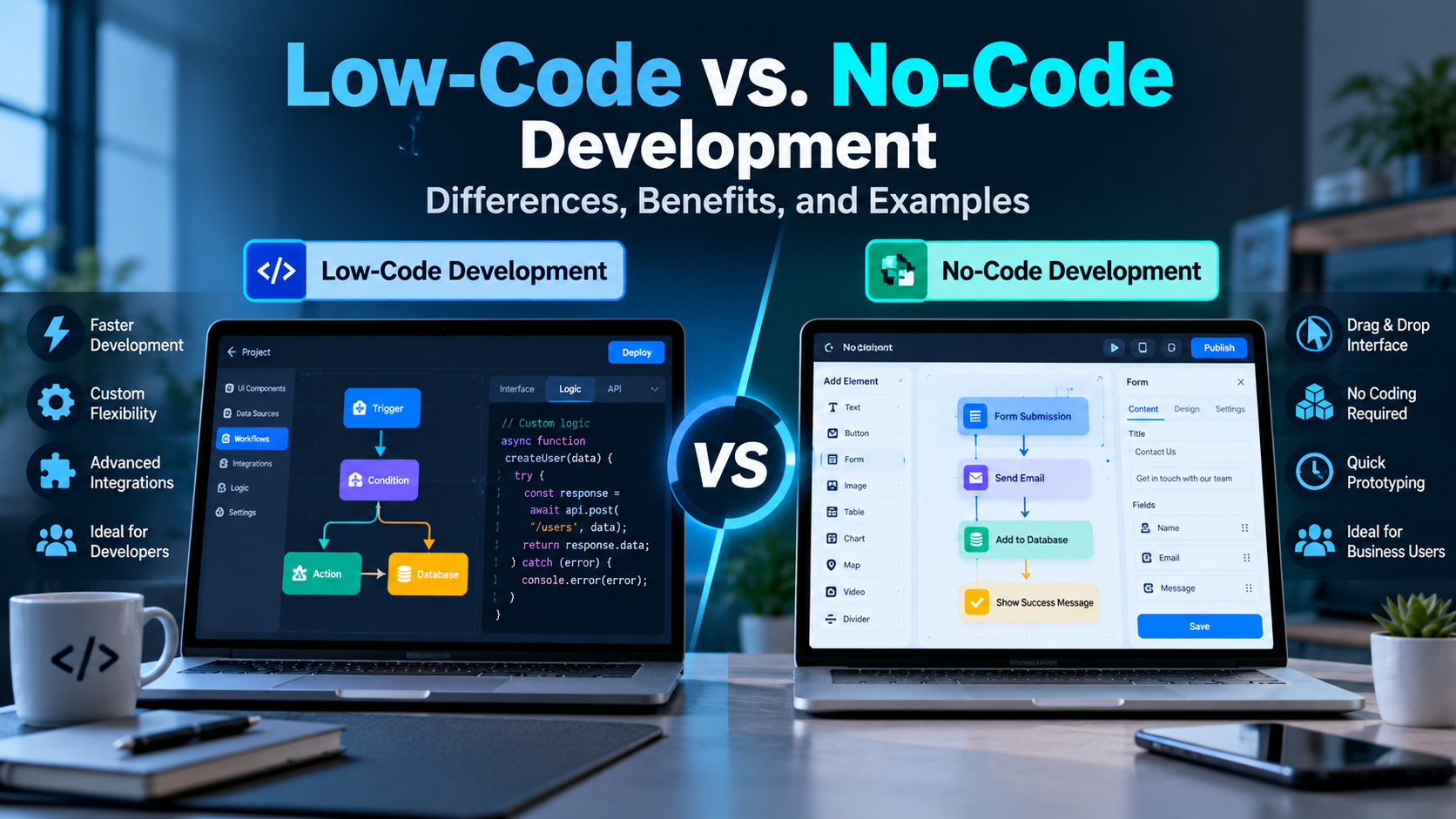
Building software traditionally requires programming knowledge, development tools, testing, and time. However, businesses and individuals now have alternative ways to create applications without writing every line of code manually.
Low-code and no-code development platforms make application development more accessible. They provide visual interfaces, ready-made components, templates, and workflow tools that help users build software more efficiently.
Although both approaches aim to simplify software development, they are not exactly the same. Low-code platforms allow developers to combine visual development tools with custom programming, while no-code platforms primarily target users who want to create applications without writing code.
Understanding low-code vs. no-code development can help businesses, developers, and entrepreneurs choose the right approach for their projects.
In this guide, we will explain how low-code and no-code platforms work, compare their differences, explore their benefits and limitations, and discuss practical examples of when to use each approach.
What Is Low-Code Development?
Low-code development is a software development approach that uses visual tools, reusable components, templates, and prebuilt functions to reduce the amount of manual programming required.
Instead of writing an entire application from scratch, developers can design interfaces, configure workflows, connect databases, and integrate services using a visual development environment.
When a project requires advanced functionality, developers can often add custom code to extend the platform’s capabilities.
For example, a company building an employee management system might use a low-code platform to create forms, manage employee records, automate approvals, and connect the application to existing business systems.
Key Features of Low-Code Development
- Visual application builders and drag-and-drop components.
- Reusable templates and software components.
- Workflow automation and business logic configuration.
- Integration with databases and external APIs.
- Support for custom programming when required.
- Tools for application testing, deployment, and maintenance.
Who Should Use Low-Code Development?
Low-code development is suitable for professional developers, IT teams, software consultants, and businesses that want to accelerate application development while retaining some programming flexibility.
It is especially useful when an application needs custom business logic, integrations, or functionality that goes beyond standard templates.
What Is No-Code Development?
No-code development is an approach that allows users to create applications, websites, forms, and automated workflows primarily through visual interfaces rather than writing traditional programming code.
Users select components, configure settings, connect data sources, and define workflows using the platform’s available tools.
For example, a small business owner could create a customer inquiry form, connect it to a database, and automate email notifications without developing a complete application from scratch.
No-code platforms are designed to make software creation accessible to people who have limited or no programming experience.
Key Features of No-Code Development
- Drag-and-drop interface builders.
- Ready-made templates and components.
- Visual workflow configuration.
- Built-in data storage or database integrations.
- Preconfigured automation features.
- Limited need for traditional programming.
Who Should Use No-Code Development?
No-code development is useful for business owners, marketers, operations teams, entrepreneurs, and nontechnical users who want to build simple applications or automate routine tasks.
It can also help development teams create prototypes and test ideas before investing in a more customized solution.
However, the available features and customization options depend on the platform.
Low-Code vs. No-Code Development: Key Differences
Low-code and no-code platforms share several features, but they differ in their intended users, customization options, and suitability for complex projects.
1. Coding Requirements
Low-code: Requires less manual programming than traditional development, but custom code may be needed for advanced functionality.
No-code: Primarily relies on visual tools and configuration, allowing users to build supported applications without writing code.
2. Technical Knowledge
Low-code: Usually benefits from programming knowledge, especially when working with complex integrations or custom business logic.
No-code: Is designed to be more accessible to people without programming experience.
3. Customization
Low-code: Generally offers more flexibility for developers who need to extend functionality with code.
No-code: Provides customization through the features, settings, integrations, and workflows supported by the platform.
4. Development Speed
Low-code: Can accelerate development by reducing repetitive coding and providing reusable components.
No-code: Can make simple applications and workflows quicker to build because traditional programming is often unnecessary.
Actual development time depends on project complexity, platform limitations, integrations, and testing requirements.
5. Application Complexity
Low-code: Can support complex business applications when the platform provides the necessary architecture, integrations, and customization options.
No-code: Is often well suited to forms, internal tools, landing pages, simple business applications, and workflow automation.
Some no-code platforms support more advanced use cases, so complexity should be evaluated against the capabilities of the specific platform.
6. Maintenance and Scalability
Low-code: May provide greater flexibility for technical teams maintaining custom logic and integrations, depending on the platform’s architecture.
No-code: Can simplify maintenance for supported applications, but users remain dependent on the platform’s capabilities, pricing, and service policies.
Both approaches require attention to security, performance, access control, data management, and long-term maintenance.
Comparison Table
| Feature | Low-Code Development | No-Code Development |
|---|---|---|
| Coding requirements | Minimal coding, with custom code when needed | Primarily visual configuration |
| Intended users | Developers and technical teams | Business users and nondevelopers |
| Technical knowledge | Basic to advanced knowledge may be required | Usually less technical knowledge required |
| Customization | Often supports custom code | Primarily limited to supported platform features |
| Development speed | Fast for supported applications | Often very fast for simple applications |
| Best suited for | Custom business applications and integrations | Forms, websites, simple apps, and workflows |
| Flexibility | Depends on platform and coding access | Depends on platform features and integrations |
| Maintenance | May require developer involvement | Often manageable through visual tools |
| Scalability | Depends on architecture and platform limits | Depends on architecture and platform limits |
| Examples | Microsoft Power Apps, OutSystems, Mendix | Bubble, Webflow, Glide |
Important: These categories can overlap. Some platforms offer both low-code and no-code capabilities, and their features change over time.
Benefits of Low-Code Development
Low-code development helps organizations build and improve applications while reducing repetitive development work.
1. Faster Application Development
Visual builders and reusable components allow developers to create common application features without implementing everything from scratch.
This can help teams deliver internal tools and business applications more quickly.
2. Greater Development Flexibility
Low-code platforms can combine visual development with custom programming. This allows technical teams to extend supported functionality and implement specific business requirements.
3. Easier Integration
Many low-code platforms provide connectors for databases, APIs, and business applications.
These integrations can reduce the amount of custom code needed to exchange data between systems.
4. Better Team Productivity
Developers can spend less time building repetitive features and more time addressing complex requirements, testing business logic, and improving application quality.
5. Support for Business Applications
Low-code platforms can help organizations create approval systems, dashboards, customer management tools, inventory applications, and other business solutions.
The suitability of a platform depends on its technical capabilities and the organization’s requirements.
Benefits of No-Code Development
No-code development makes it easier for people to create useful digital solutions without traditional programming.
1. Accessible to Nontechnical Users
Users can build applications through visual interfaces instead of learning a programming language first.
This makes it easier for business teams to turn ideas into working solutions.
2. Faster Prototyping
Entrepreneurs and product teams can create prototypes to demonstrate an idea, gather feedback, and test workflows before committing to a larger development project.
3. Reduced Initial Development Effort
Prebuilt templates and components can reduce the effort required to create supported applications.
However, platform subscriptions, integrations, usage limits, and future maintenance can still involve costs.
4. Workflow Automation
No-code platforms can automate repetitive tasks such as sending notifications, collecting form responses, updating records, and routing approval requests.
This can help teams reduce manual work and improve consistency.
5. Greater Business Independence
Marketing, operations, and administrative teams may be able to build or update simple tools without waiting for a developer to implement every change.
Organizations should still establish appropriate permissions, security controls, and review processes.
Popular Low-Code and No-Code Platforms
Several platforms provide visual development tools, but their capabilities vary.
Low-Code Platforms
1. Microsoft Power Apps
Microsoft Power Apps helps organizations create business applications and connect them with supported data sources and Microsoft services. It is commonly used for internal business processes and productivity tools.
2. OutSystems
OutSystems provides a visual application development environment for building and managing business applications. Its suitability depends on the application’s complexity and the organization’s requirements.
3. Mendix
Mendix supports visual application development and provides capabilities for building business applications, integrations, and digital solutions.
No-Code Platforms
1. Bubble
Bubble provides visual tools for building interactive web applications, including interfaces, workflows, and data-driven functionality.
2. Webflow
Webflow is a visual website development platform that helps users design and publish websites with less manual coding.
3. Glide
Glide enables users to build applications from data sources using visual components and configuration. It is often used for business tools and data-driven applications.
Note: These classifications are simplified. Some platforms support both low-code and no-code workflows, and advanced functionality may require technical knowledge. Check each platform’s official documentation before choosing one.
Real-World Examples of Low-Code and No-Code Development
Understanding practical applications makes the difference between low-code and no-code development easier to understand.
Example 1: Employee Management System
A company needs an application to manage employee information, leave requests, and approval workflows.
A low-code platform could help its development team create employee forms, implement custom approval rules, connect to an existing HR database, and integrate with other business systems.
This approach is useful when the application needs to follow specific company policies.
Example 2: Small Business Website
A local business wants to establish an online presence with service pages, contact information, and a blog.
A no-code website builder can help the business create and maintain its website through visual editing tools and ready-made components.
This can reduce the need to hire a developer for a relatively straightforward website.
Example 3: Customer Feedback Collection
A company wants to collect customer feedback and organize responses.
A no-code tool can provide a form, store submissions, and automate notifications when new feedback arrives.
This is a practical use case because the workflow may not require a fully customized application.
Example 4: Inventory Management Application
A growing business wants to track inventory, stock movements, and low-stock alerts.
A low-code platform may provide the visual interface, database connections, and workflow automation needed to build an initial solution.
If the business requires specialized integrations, complex permissions, or advanced inventory calculations, custom programming or a more specialized system may be necessary.
Example 5: Internal Project Dashboard
A team wants to track tasks, deadlines, and project progress.
A no-code platform may allow users to create a dashboard that displays task status, collects updates, and sends reminders.
A low-code approach may be more suitable if the dashboard needs complex reporting or integration with several internal systems.
Limitations of Low-Code and No-Code Development
Although both approaches offer benefits, they are not ideal for every project.
1. Platform Limitations
Visual platforms provide predefined components and capabilities. If a project requires functionality outside those capabilities, developers may need workarounds, custom code, or another platform.
2. Vendor Lock-In
Applications built around a specific platform may be difficult or expensive to migrate elsewhere.
Before choosing a platform, review data-export options, application portability, contract terms, and migration requirements.
3. Security and Compliance
Applications can contain sensitive business or customer data. Organizations must evaluate authentication, authorization, data storage, encryption, audit logs, and compliance requirements.
Using a low-code or no-code platform does not automatically make an application secure.
4. Performance and Scalability
An application that works well for a small team may not perform as expected when usage, data volume, or business complexity increases.
Teams should assess platform limits, hosting options, performance requirements, and expected growth.
5. Limited Control Over Technical Details
No-code platforms may restrict access to the underlying code or infrastructure. Low-code platforms may offer more control, but the available options vary.
For projects requiring specialized algorithms, detailed infrastructure control, or complex integrations, traditional software development may be more appropriate.
Low-Code vs. No-Code vs. Traditional Development
Low-code and no-code are not replacements for every form of software development.
Traditional development gives software engineers direct control over the codebase, architecture, technology stack, and implementation decisions. It can be a better fit for products with highly specialized requirements or strict technical constraints.
Low-code development reduces manual coding while retaining some ability to customize the application.
No-code development focuses on building supported applications through visual tools and configuration.
The right choice depends on the project’s complexity, available skills, budget, integration needs, security requirements, and long-term plans.
In some organizations, all three approaches can work together. For example, a business may use no-code tools for simple workflows, low-code tools for internal applications, and traditional development for its core software product.
How to Choose Between Low-Code and No-Code Development
Before selecting a platform, consider the following questions.
1. What Are You Building?
If you need a simple website, form, dashboard, or workflow, a no-code platform may be sufficient.
If you need a more customized business application with advanced logic or integrations, consider low-code or traditional development.
2. Who Will Build and Maintain It?
If the application will be managed by nontechnical staff, a user-friendly no-code platform may be a good fit.
If developers will maintain the application and implement custom functionality, a low-code platform may provide a suitable balance between speed and flexibility.
3. What Integrations Are Required?
List the databases, APIs, payment services, authentication providers, and business systems the application must support.
Verify that the platform can connect to them securely and reliably.
4. What Are the Security Requirements?
Review how the platform handles user permissions, authentication, data storage, backups, monitoring, and compliance.
Do not assume that visual development removes the need for security reviews.
5. What Is Your Long-Term Plan?
Consider expected user growth, maintenance needs, platform costs, data portability, and the possibility of moving to another technology later.
Choosing a tool based only on how quickly the first version can be created may lead to additional work in the future.
The Future of Low-Code and No-Code Development
Low-code and no-code development are evolving alongside artificial intelligence, workflow automation, and cloud services.
AI-assisted features can help users generate application components, create workflows, explain errors, and accelerate certain development tasks. The actual capabilities depend on the platform and the complexity of the application.
These improvements may make visual development tools more accessible to business users while helping developers work more efficiently.
However, AI-generated applications and automated workflows still require testing, security reviews, and human oversight. Complex software continues to demand careful architecture, reliable data handling, and engineering expertise.
In the future, many organizations may combine visual development tools, AI assistance, and traditional programming to build solutions that balance speed, flexibility, and control.
Conclusion
Low-code and no-code development provide alternative ways to build software with less manual programming. Both approaches can reduce development effort, accelerate prototyping, and help organizations automate business processes.
Low-code development is generally more suitable when a project needs developer involvement, custom logic, or advanced integrations. No-code development is often a practical choice for simpler applications, websites, forms, and workflows that fit within a platform’s capabilities.
Neither approach is automatically better for every situation. The right choice depends on the project’s requirements, technical complexity, budget, security needs, and long-term maintenance plans.
By understanding the differences between low-code and no-code development, businesses and developers can choose tools that help them build useful software while avoiding unnecessary complexity.
