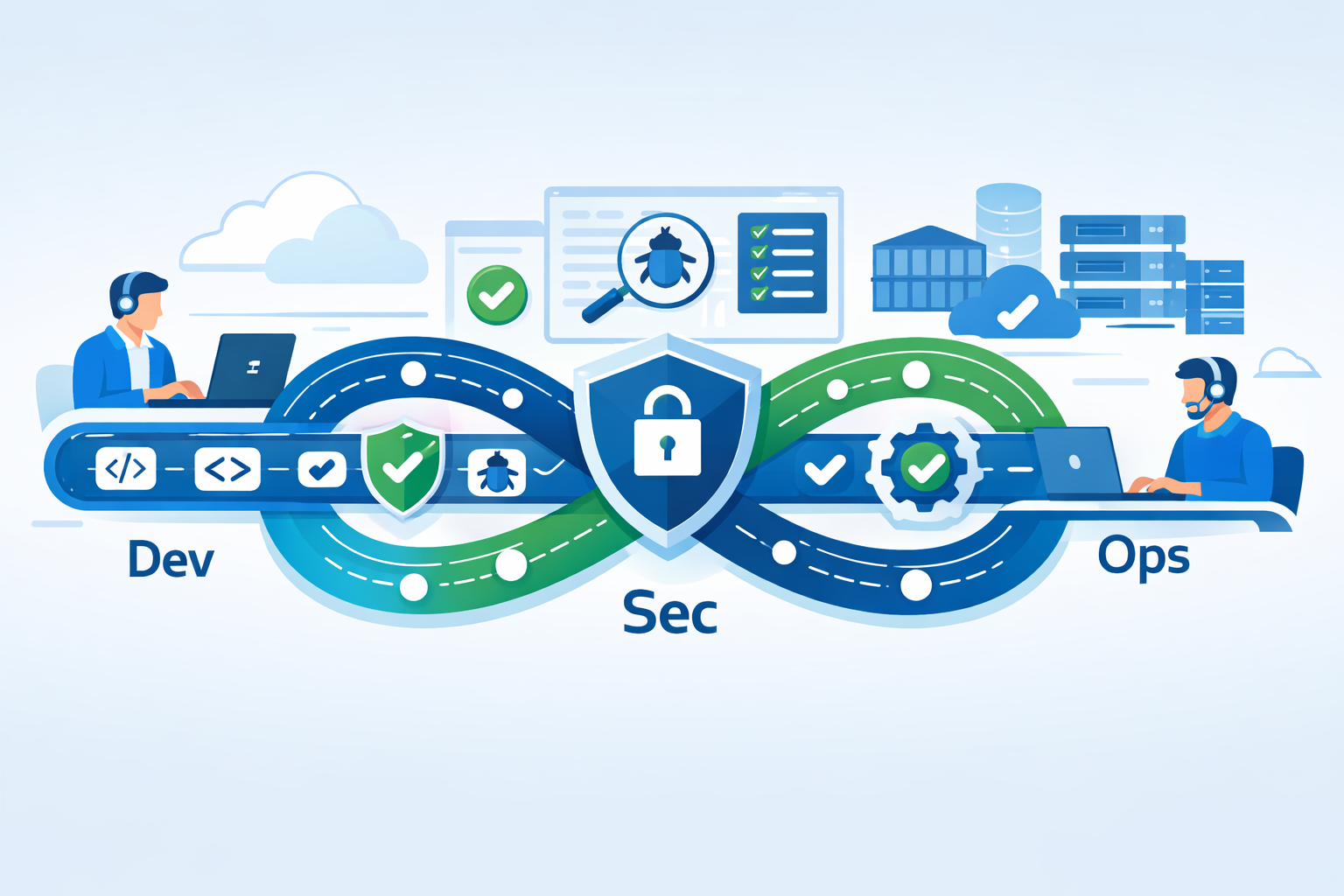
Introduction: What Is DevSecOps in Simple Words?
DevSecOps is a way of building software where security is included from the very beginning, not added at the end. Instead of treating security as someone else’s job, DevSecOps makes it everyone’s responsibility—developers, security teams, and operations teams all work together.
The main goal of DevSecOps is simple:
👉 Build software that is fast, secure, and reliable at the same time.
Why DevSecOps Is Important Today
Modern software is released very quickly. Applications use cloud services, APIs, and open-source libraries, which increases security risks. If security is checked only at the end, fixing problems becomes slow and expensive.
DevSecOps helps because it:
- Finds security problems early
- Reduces chances of hacking and data leaks
- Saves time and money
- Builds user trust
In today’s digital world, security can’t be optional anymore.
How DevSecOps Fits Into the Software Workflow
DevSecOps adds security checks at every step of software development.
1. Planning Stage: Think About Security First
Before writing any code, teams discuss:
- What data the app will handle
- Possible security risks
- Rules and compliance needs
This step helps avoid big security problems later.
2. Coding Stage: Writing Secure Code
Developers follow secure coding practices and use tools that:
- Scan code for mistakes
- Detect common security issues
- Warn developers early
This makes fixing issues easier and faster.
3. Testing Stage: Automatic Security Checks
Security tests run automatically during development:
- Code is scanned for known vulnerabilities
- Third-party libraries are checked
- Apps are tested while running
This ensures unsafe code does not move forward.
4. Deployment Stage: Secure Release to Production
Before software goes live:
- Servers and cloud settings are checked
- Sensitive data like passwords are protected
- Containers and infrastructure are verified
This prevents misconfigurations and exposure.
5. Monitoring Stage: Stay Secure After Launch
Even after release, security doesn’t stop. Teams:
- Monitor logs and activity
- Detect threats in real time
- Improve future updates using feedback
Security becomes a continuous process.
Key Benefits of DevSecOps
Faster Development
Security tools work automatically, so releases are not delayed.
Lower Costs
Fixing issues early costs much less than fixing them after launch.
Better Team Collaboration
Developers, security, and operations teams work together instead of separately.
Stronger Software
Apps become more stable, secure, and trustworthy.
DevSecOps vs Traditional Security Approach
| Traditional Method | DevSecOps Method |
|---|---|
| Security at the end | Security from the start |
| Manual checks | Automated testing |
| Slower releases | Faster & safer releases |
| Reactive fixing | Preventive protection |
Common DevSecOps Tools (Simple View)
DevSecOps uses tools that:
- Scan code automatically
- Check open-source libraries
- Monitor cloud and containers
- Protect secrets like passwords
- Detect threats using AI
These tools work silently in the background.
Why DevSecOps Is Becoming Popular
DevSecOps is trending because:
- Cyber attacks are increasing
- Cloud and AI software is growing fast
- Data privacy laws are stricter
- Companies want faster and safer releases
Security is now a business priority.
Conclusion: DevSecOps Made Simple
DevSecOps means building security into software instead of adding it later. It helps teams deliver software that is fast, safe, and dependable.
For modern software teams, DevSecOps is not just a trend—it’s the right way to build software.
